
Fairspec Application
Visual tool for validating and inferring Fairspec descriptors. Point it at your data and get a report — no code required.
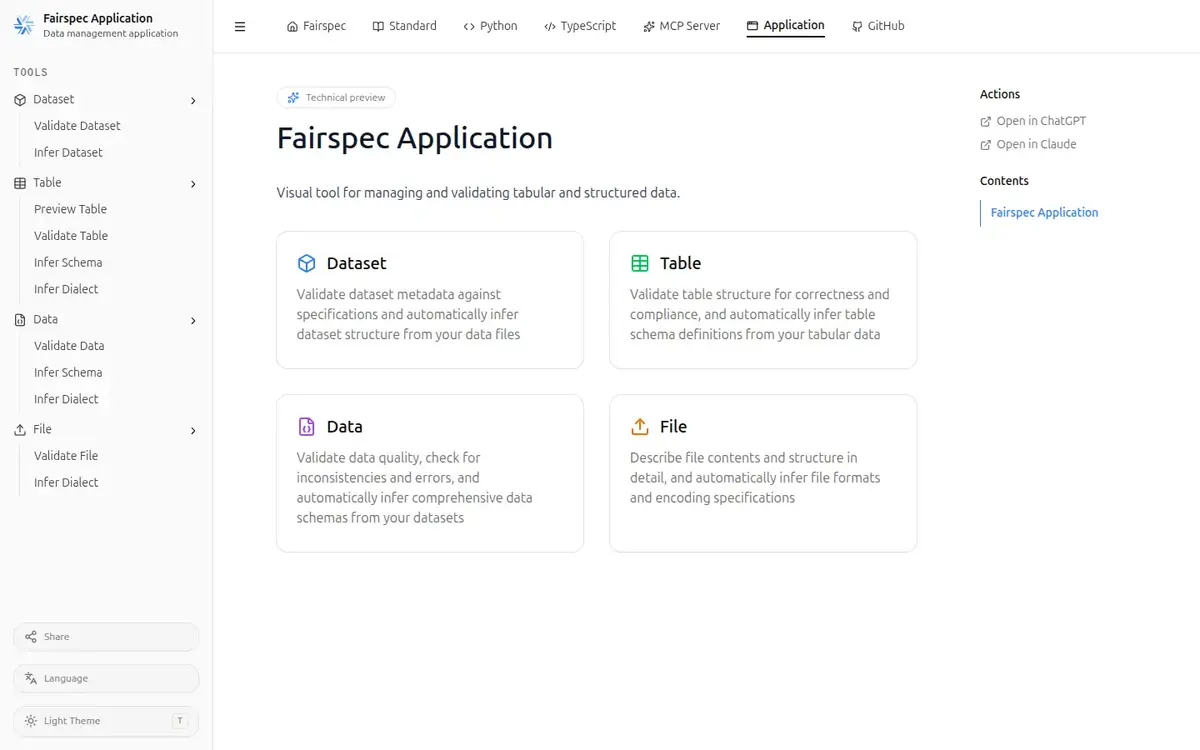
Tools
Nine tools across the four Fairspec surfaces the application covers: datasets, tables, data, and files.
Validate Dataset
Checks a dataset descriptor against the Fairspec specification and verifies that every resource it references is consistent. Reports each violation with the exact location in the descriptor.
Infer Dataset
Scans a folder of data files and builds a complete dataset descriptor from what it finds, discovering tabular resources and inferring their schemas and dialects along the way.
Preview Table
Loads a tabular file and shows the first hundred rows alongside the table schema inferred from them, so you can inspect the contents and the detected structure side by side.
Validate Table
Checks tabular data against a table schema, optionally with an explicit file dialect. Groups the failures by error type so you can see at a glance which problems dominate.
Infer Table Schema
Reads a tabular file and derives a table schema with field names, types, and constraints, analysing the values in each column to pick the most appropriate type.
Validate Data
Checks structured data against a data schema, flagging type mismatches, constraint violations, missing required values, and broken key relationships.
Infer Data Schema
Derives a JSON Schema from a data sample, examining the structure and values to describe the types and constraints that the data actually satisfies.
Infer File Dialect
Detects how a tabular file is formatted — delimiter, quote character, header row, line terminator, and encoding — by sampling its contents.
Validate File
Verifies a file against an expected checksum, supporting md5, sha1, sha256, and sha512, so you can confirm that the bytes you received are the bytes that were published.
Download
Install the desktop application. All nine tools run locally, on your own machine.
Download the .dmg installer from the latest release and drag the application into your Applications folder. Your files never leave your machine.